Meshcore is an off-the-grid text message communication network. It works over a series of repeaters which are setup by everyday people. It is a free to use public network. Think of it like CB radio for text messaging, but a lot better.
Meshcore uses a radio technology named ‘LoRA’. It can send small amounts of data over reasonable distance. Using repeaters extends the network to hundreds of kilometers.
First – some terminology
Meshcore is new and is somewhat tech-heavy so understanding some key pieces of terminology
- Client – This is the device that you use to send and receive messages. It might be a dedicated/standalone Meshcore device, or a bluetooth “companion” which contains a radio chip to connect your smartphone to the Meshcore network. You then access Meshcore through an app.
- Repeater – A repeater is a device which receives and forwards messages to other Meshcore users. There are around 10 repeaters in Hamilton, and over 150 in the upper North Island. Using repeaters, there is a Meshcore network extending from Whangarei, through Auckland, through Hamilton and out to Taupo and Tauranga.
- Channel – Think of this like a group chat. Channels can either be public (anyone can see the messages if they choose to) or private (you need a password to access and send messages). By default, all Meshcore clients are a member of the ‘Public’ channel, but you can join other channels by scanning a QR code, or using a #hashtag.
- Contact – As well as Channels, you can message people one-to-one. These direct messages are fully encrypted. Individual users show up as ‘Contacts’.
- Advertise – Sending an advert publicises your Client device’s existence on the Meshcore network. When your device hear’s Adverts from others, they will show up in your Contact list.
- Direct and Flood – These are two ways messages are transmitted on the Meshcore network. Direct means there is a direct radio link between two devices communicating. Flood means the messages are going via Repeaters.
Repeaters
Repeaters are essential to make contact with other users who are more than 500m-1km away. Repeaters tend to be mounted on a rooftop on hills where they can easily connect to other repeaters, and to Client devices nearby. People often put repeaters on their roof even if they aren’t necessarily up on a hill so they can get better reception to the network on their own devices.
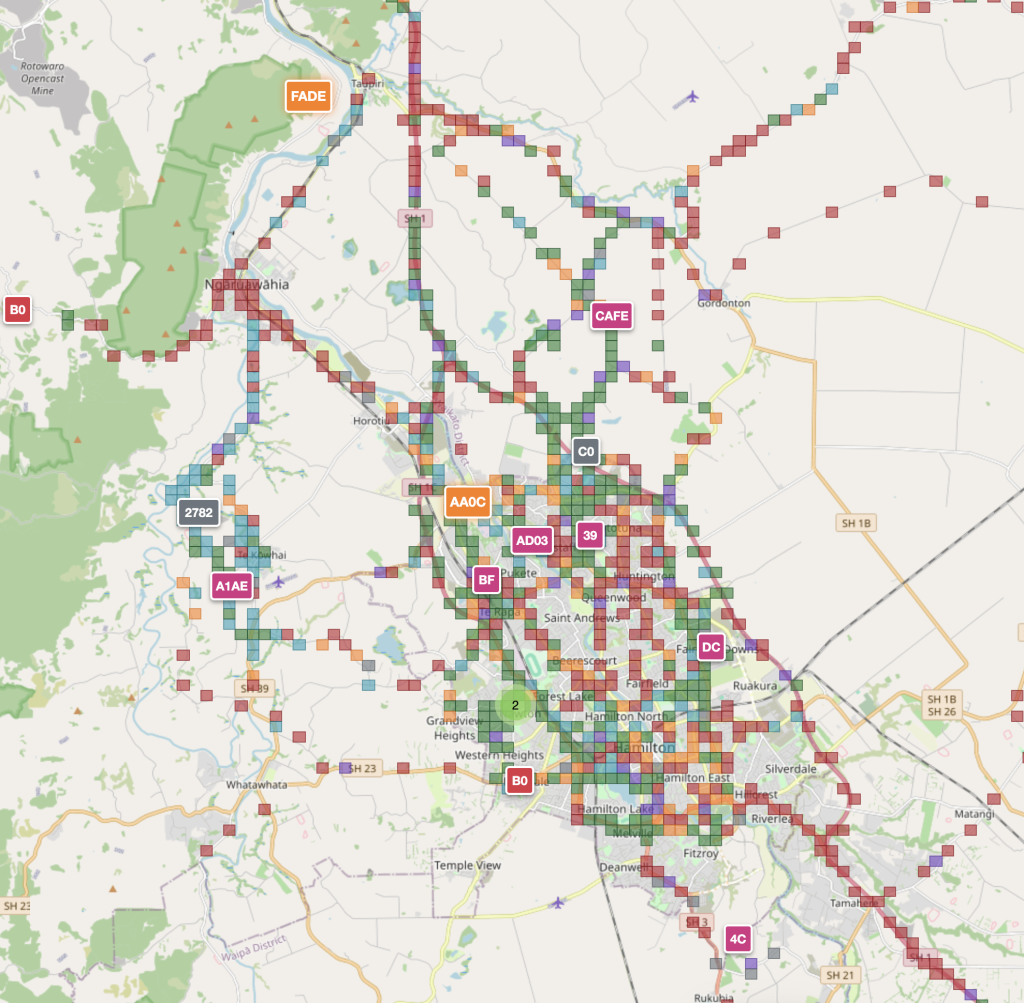
The image above (from nz.meshmapper.net) shows the repeaters in and around Hamilton (the letters/numbers in the rectangular boxes represent the repeater address).
At the time of writing, most of the repeaters are at the northern and western ends of Hamilton. The ‘FADE’ repeater is up on the Ngaruawahia ranges, and serves as Hamilton’s connection to Auckland and Northland via repeaters in Onewhero and on the Bombay Hills.
Not shown on the map is another repeater on Mt Pirongia which can reach the Kaimai Ranges which gives us connectivity into Bay of Plenty.
The more repeaters, the more reliable sending messages is.
What is Meshcore’s use?
In a world of widespead communication via the Internet, it might be difficult to see the need for something like Meshcore. As we all know, one of the first pieces of infrastructure that goes down in an emergency is the Fibre and Cellphone networks.
Satellite mobile connectivity is also becoming more common these days also, but they still rely on relaying that connection back down to centralised infrastructure on the ground, which could be vulnerable to outages in emergencies.
The beauty of Meshcore is that it operates off low-cost, low-powered devices which means it is easy to acquire and build the network, and primarily operates off small solar panels and batteries. So on an everyday basis, the network is operating off the grid not relying on the power grid, the internet or cellular networks.
Meshcore client devices can be purchased for as little as $50, and repeaters can be purchased and mounted on a rooftop for around $350-$400.
How do I get started
The first thing to do is purchase a Meshcore client device. Some good devices are listed below:
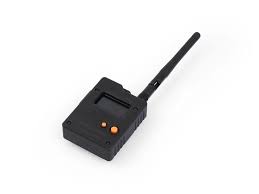
Wio Tracker L1 Pro
This is a bluetooth ‘companion’ device. It connects your smartphone to the Meshcore network and works with the Meshcore app.
AliExpress Link
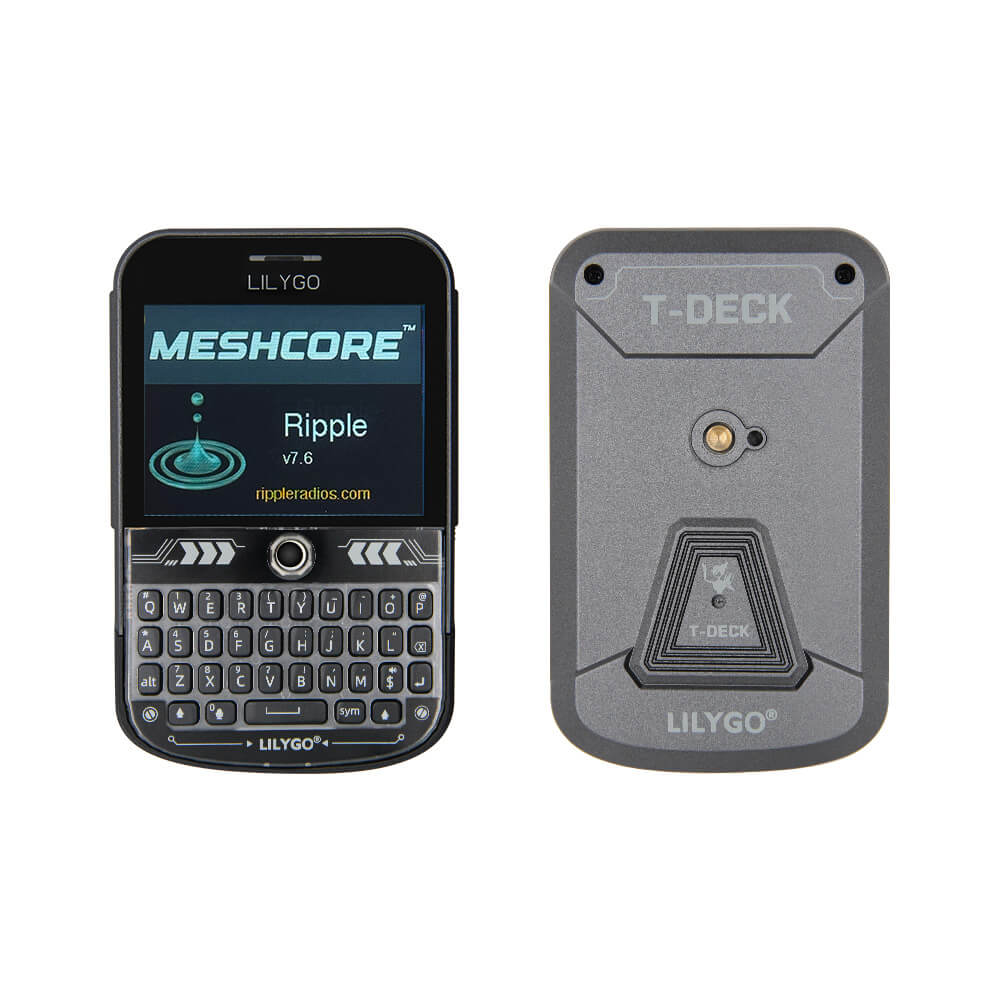
Lilygo T-Deck Plus
This is a standalone device that looks kind of like a Blackberry phone.
Lilygo Store Link
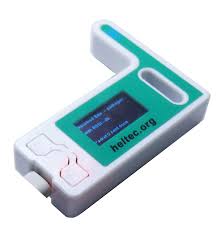
Heltec v3
This is also a bluetooth companion device, but usually comes as a kit which you have to put together. The options above are better for first timers.
Heltec Store Link
You may not get great coverage at home, so you may want to consider putting up a repeater:
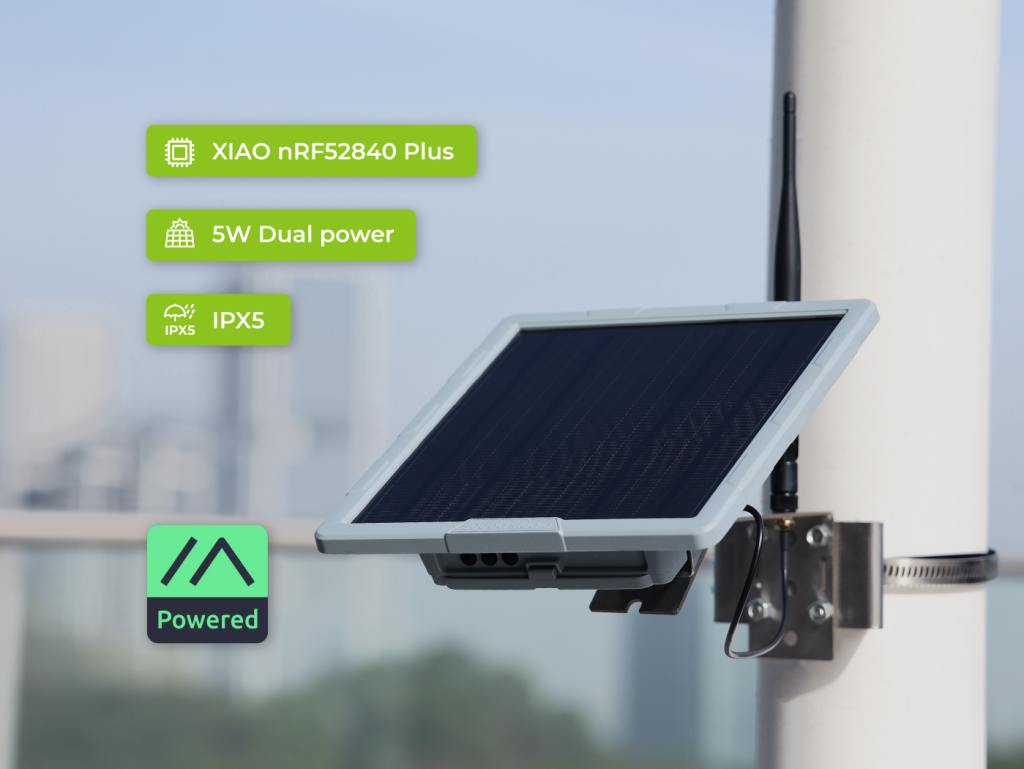
SenseCap Solar Node P1
A repeater unit that has a solar panel, batteries and the repeater chip itself. Also comes with a mounting kit.
AliExpress Link
It’s also recommended to purchase a better antenna for the repeater:
AliExpress Link
Once you receive your device it needs to be ‘flashed’. This means loading the software required onto the device. This is simple to do, though sounds complicated. You simply plug the device into your computer with a USB cable, and then go to the Meshcore flasher website – https://flasher.meshcore.io/
Select your device from the list, and then select the correct ‘firmware’. The recommended options for each device are listed below:
- For the Wio Tracker:
“Companion Bluetooth” - For the Lilygo T-Deck:
“MeshOS” - For the SenseCap Repeater:
“Repeater”
What’s next?
Neighbourhood Support Hamilton is testing the network and looking at how best it could be leveraged for emergencies. Please contact Jordan at NSH if you are interested to learn more: [email protected]